
Statistika
Statistics
Prihod, tretmani, nove klijentkinje i otkazani termini po periodima - i šta još treba da uneseš.
Revenue, treatments, new clients and cancelled appointments by period - and what's still missing from your records.
Ažurirano za verziju 1.7.0 - oktobar 2026
Updated for version 1.7.0 - October 2026
Gde se nalazi Pro
Statistiku otvaraš iz Podešavanja → „Statistika" (zupčanik na ekranu „Danas"). To je Pro funkcija: na Pro paketu i tokom Pro probe vidiš brojke svog salona, a na besplatnom paketu samo primer - vidi Na besplatnom paketu.
Brojke se računaju iz tretmana i termina koje si unela. Ništa ne popunjavaš posebno za statistiku.
Šta prikazuje
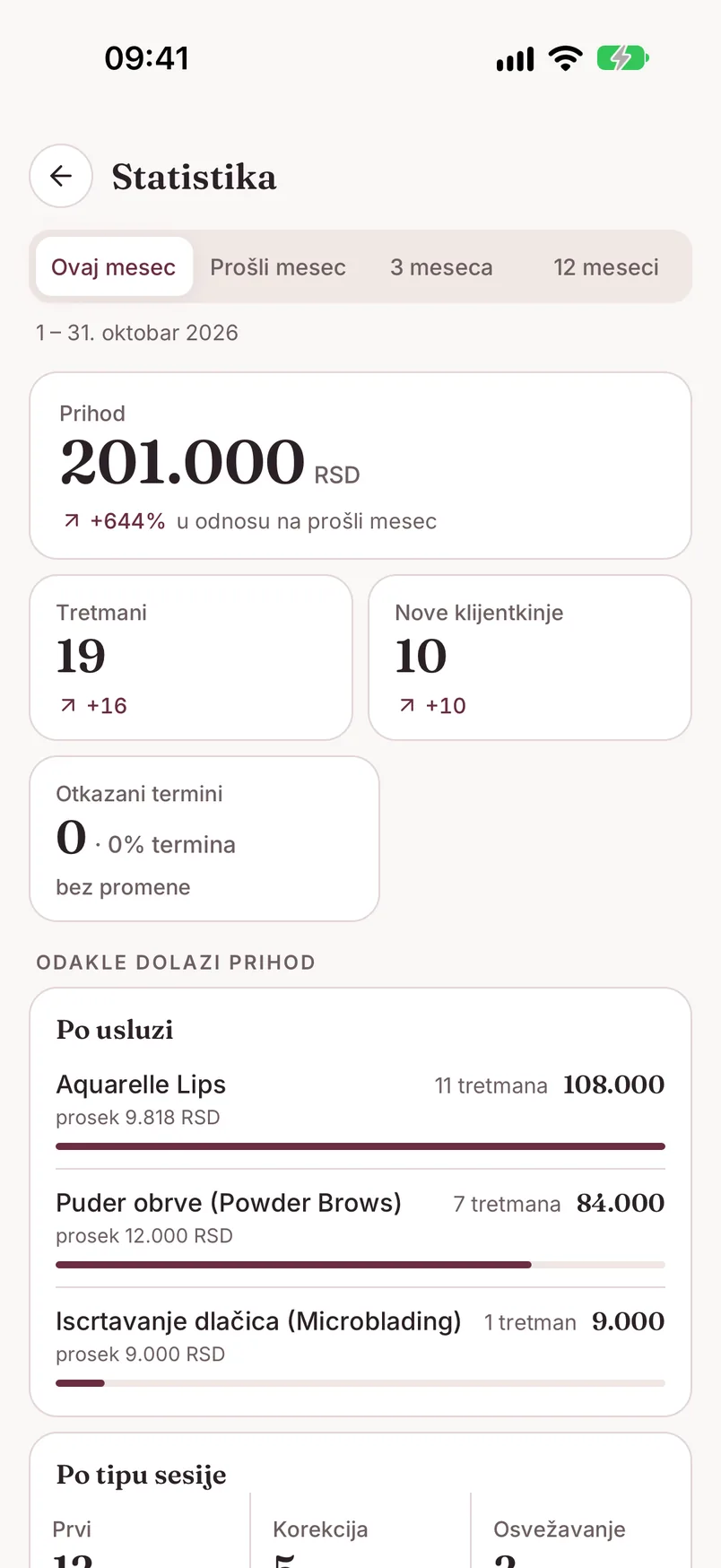
Na vrhu su četiri kartice za izabrani period:
- Prihod - zbir cena unetih tretmana, u valuti salona, i promena u procentima u odnosu na prethodni period. Ako neki tretmani nemaju cenu, ispod piše koliko ih je („3 tretmana bez unete cene") - oni u prihod ne ulaze
- Tretmani - broj tretmana i razlika u odnosu na prethodni period (npr. +16)
- Nove klijentkinje - koliko kartona je otvoreno u periodu
- Otkazani termini - broj otkazanih i njihov udeo u svim terminima („· 8% termina")
Ispod, u delu „Odakle dolazi prihod", su dve kartice. „Po usluzi" ređa usluge po prihodu, sa brojem tretmana i prosečnom cenom. „Po tipu sesije" deli tretmane na Prvi, Korekcija i Osvežavanje, sa brojem i prihodom za svaki, i rečenicom tipa „Na 10 prvih tretmana dolaze 4 korekcije". Ako neki tretmani nemaju tip, i to je navedeno.
Listu osvežavaš povlačenjem ekrana nadole.
Periodi i trend
Traka na vrhu menja period: „Ovaj mesec", „Prošli mesec", „3 meseca" i „12 meseci". Ispod trake piše tačan raspon datuma. Sve kartice i poređenja prate izabrani period - ovaj mesec se poredi sa prošlim, tri meseca sa prethodna tri, i tako dalje.
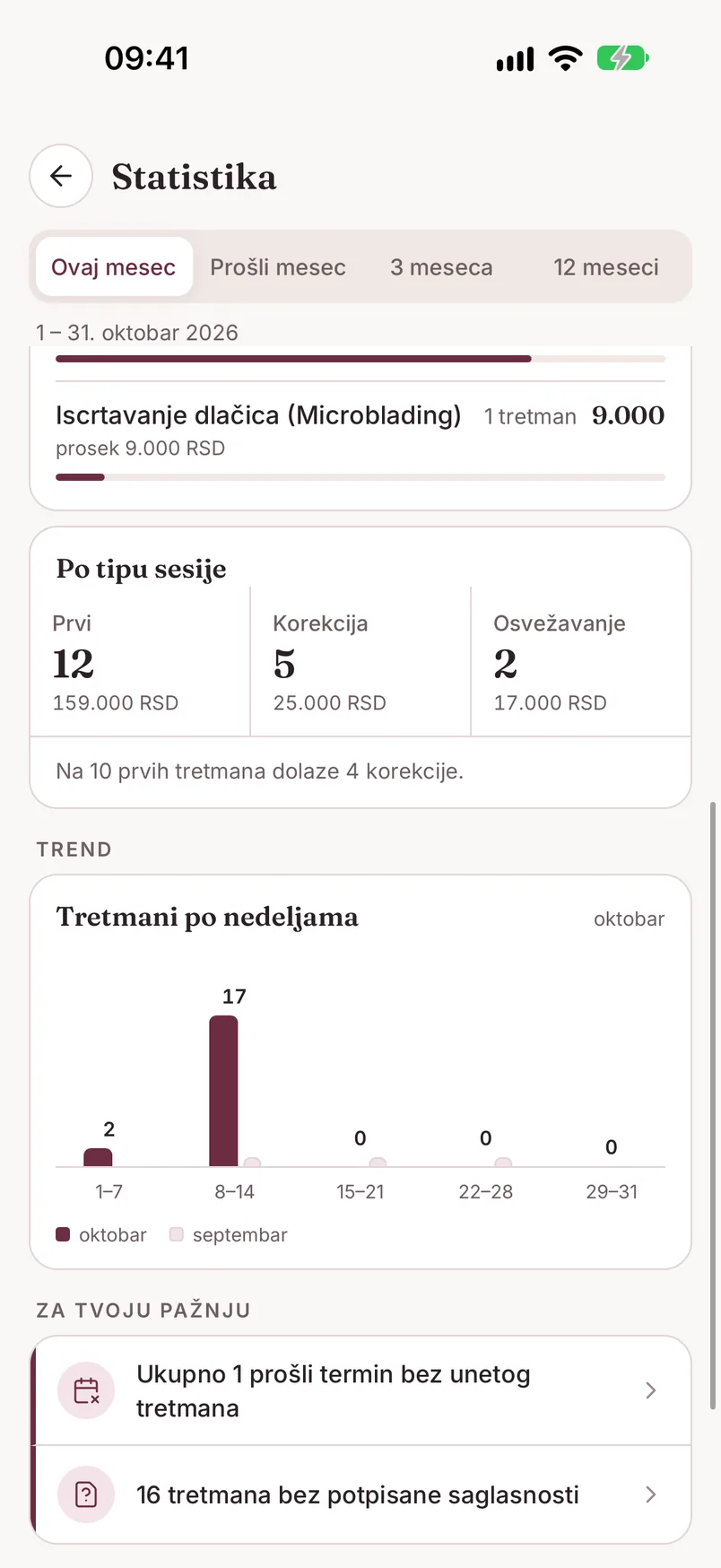
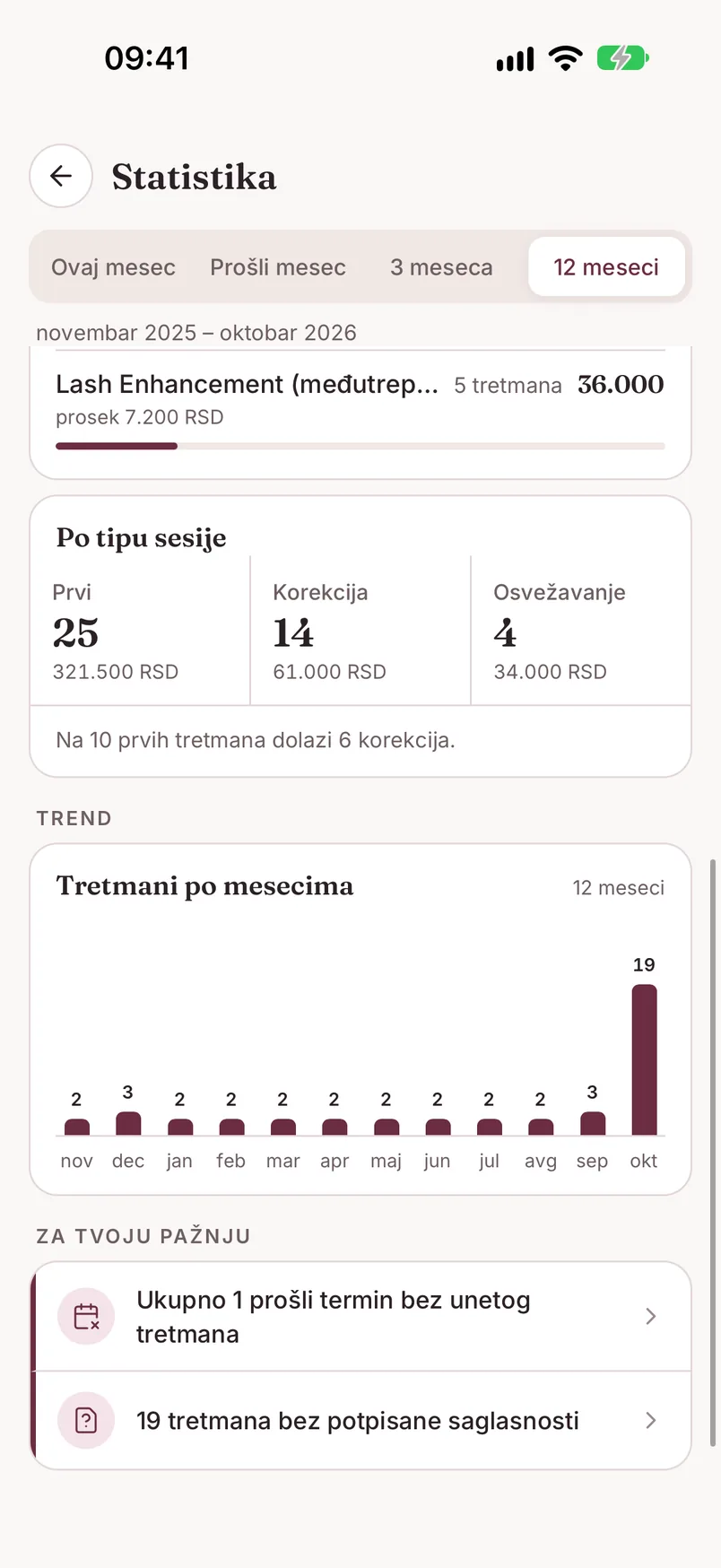
Deo „Trend" je grafikon broja tretmana. Za jedan mesec to su „Tretmani po nedeljama", sa svetlijim stubićima prethodnog meseca pored, a za 3 i 12 meseci „Tretmani po mesecima".
Za tvoju pažnju
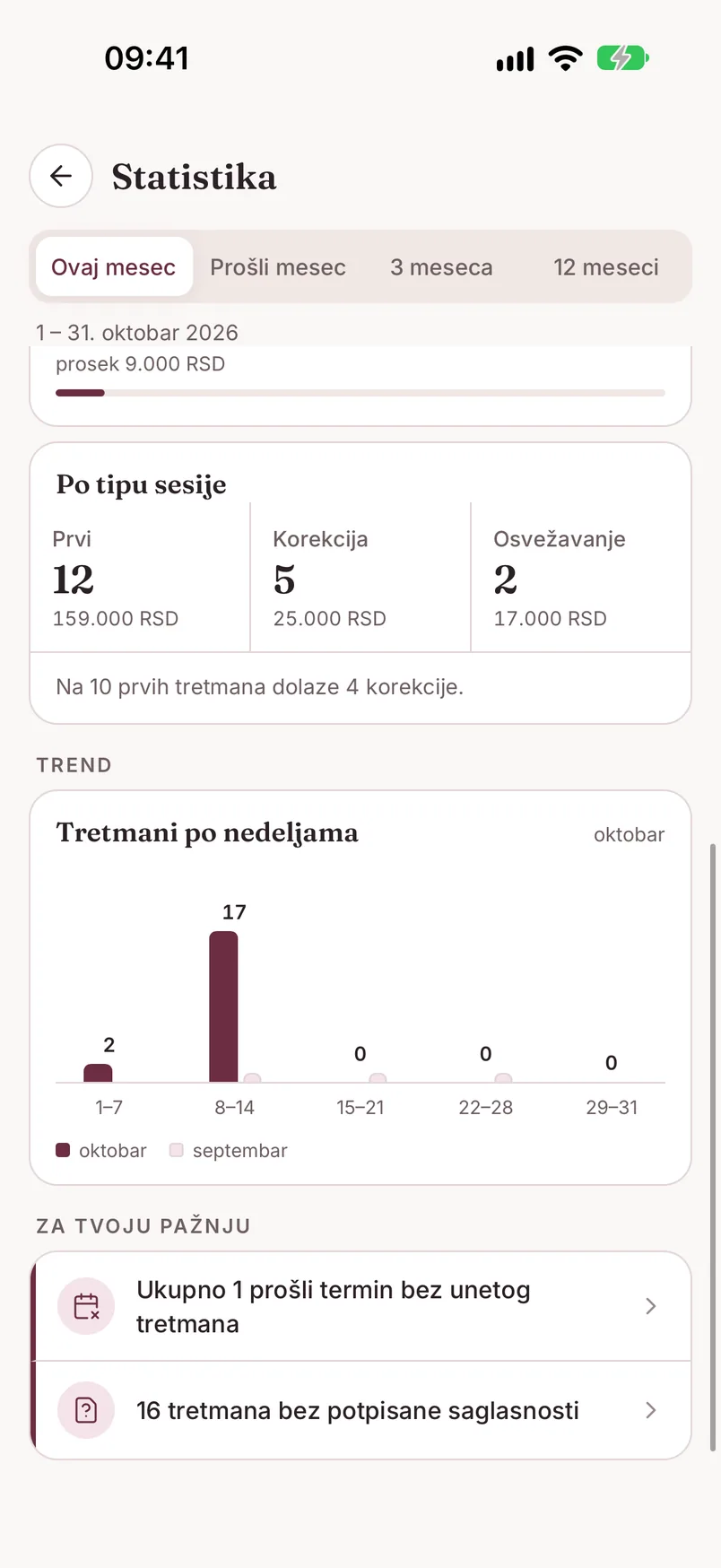
Na dnu ekrana je spisak stvari koje fale u evidenciji:
- „Ukupno N prošlih termina bez unetog tretmana" - termini koji su prošli, a za njih nije zabeležen tretman. Ovaj broj je ukupan, ne zavisi od izabranog perioda
- „N tretmana bez potpisane saglasnosti" - tretmani iz izabranog perioda bez potpisane saglasnosti
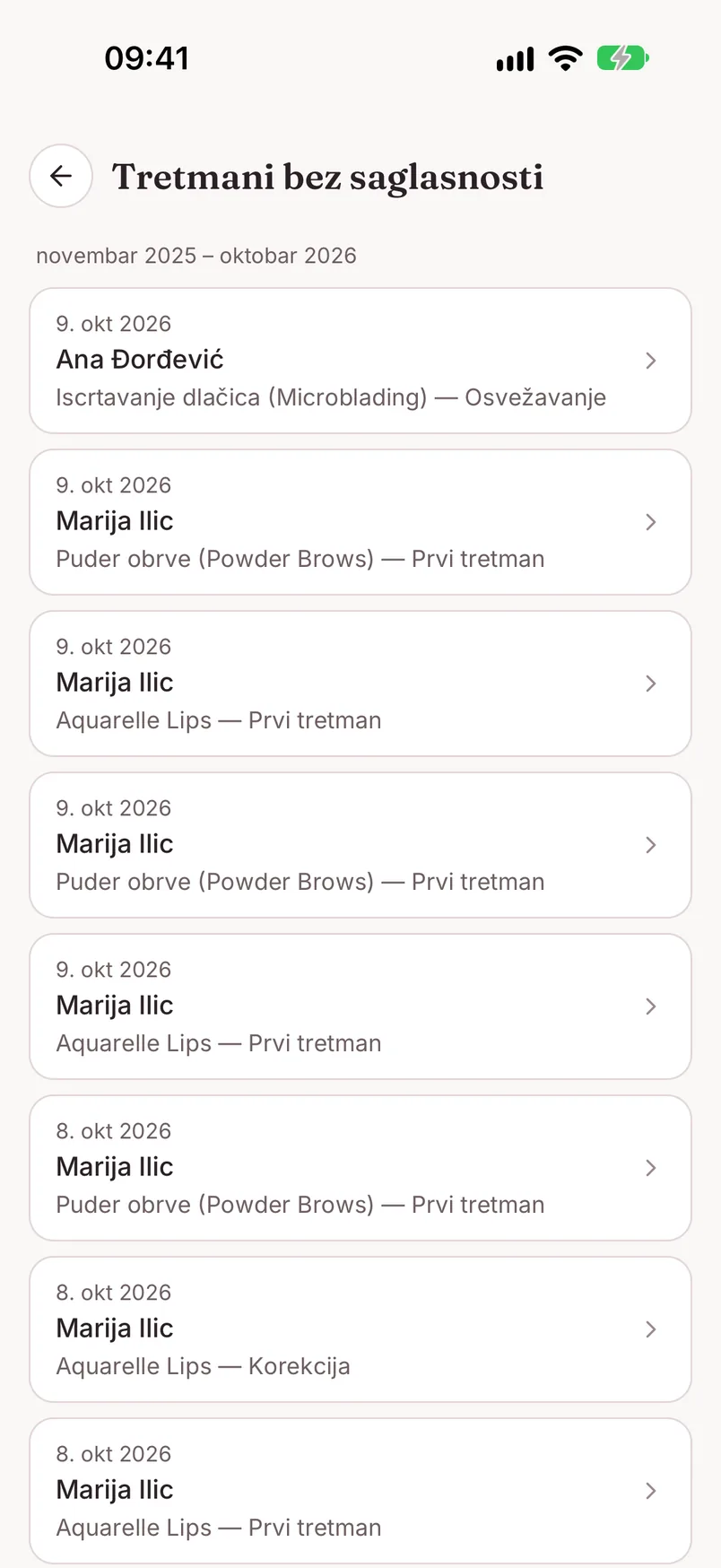
Dodir na red otvara listu. Iz liste „Termini bez tretmana" dodir na termin otvara formular novog tretmana sa već popunjenom klijentkinjom i uslugom. Iz liste „Tretmani bez saglasnosti" dodir otvara detalje tretmana. Kad nema ničega, piše „Sve je uneto".
Na besplatnom paketu
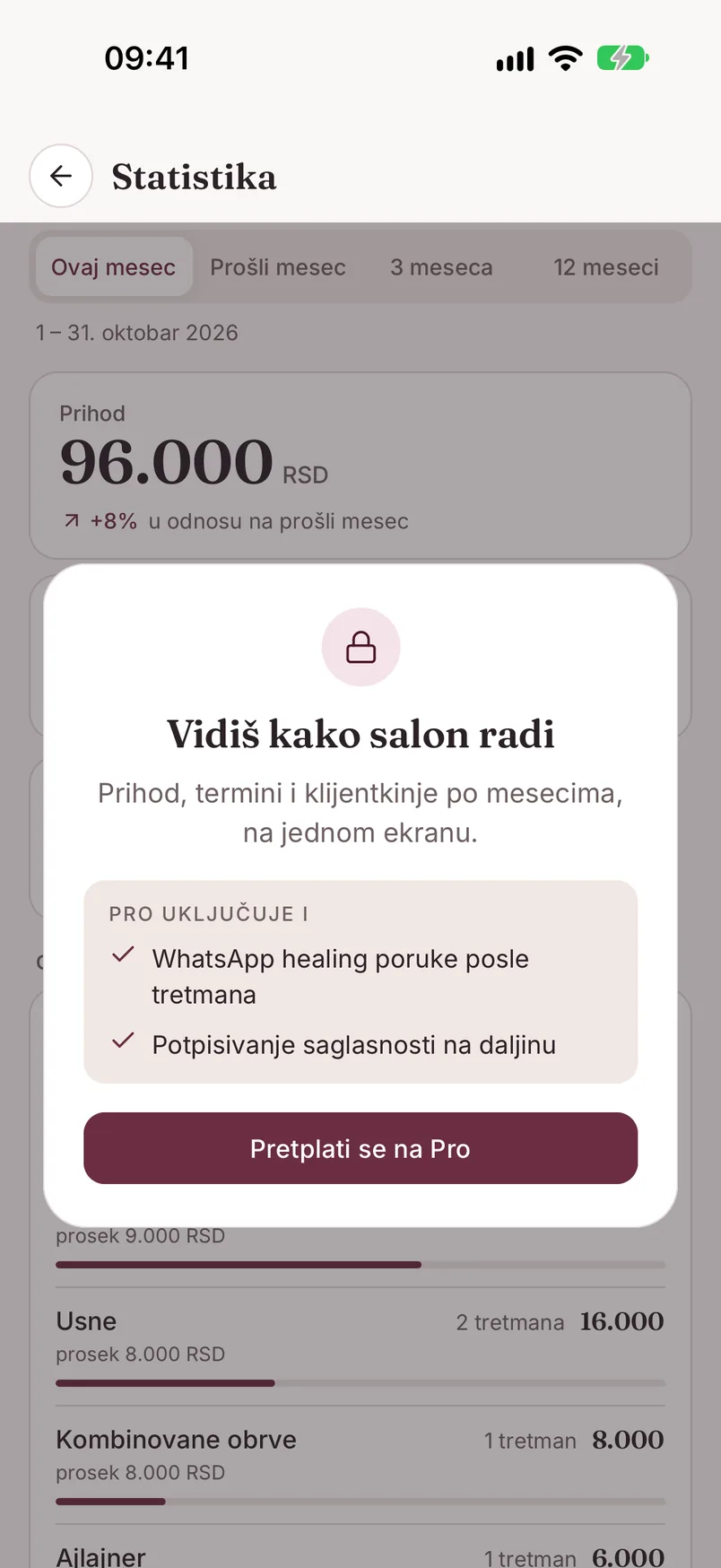
Na besplatnom paketu ekran „Statistika" prikazuje primer sa izmišljenim brojkama, a preko njega karticu sa katancem „Vidiš kako salon radi". To nisu podaci tvog salona. Dugme na kartici pokreće Pro probu od 30 dana ili vodi na pretplatu - više na stranici Nalog i podešavanja.
Tvoji tretmani se beleže i na besplatnom paketu, pa kad aktiviraš Pro, statistika odmah prikazuje i ranije periode.
Kako da brojke budu tačne
- Unesi cenu na svakom tretmanu. Cena se predlaže iz usluge i možeš da je promeniš; tretman bez cene ne ulazi u prihod
- Izaberi tip tretmana (prvi, korekcija, osvežavanje). Da bi se tip nudio, usluga treba da ima „Cene po tipu sesije" - Prvi koraci
- Zabeleži tretman posle svakog termina. Termin sam po sebi ne ulazi u prihod - računaju se tretmani. Termine koji nisu održani otkaži, da ne ostanu u „Za tvoju pažnju"
- Unesi i starije tretmane sa pravim datumom, da 3 i 12 meseci imaju sa čim da se porede - Tretmani
- Proveri valutu salona u Podešavanjima → „Profil salona". Promena valute ne preračunava iznose - menja se samo oznaka
Where to find it Pro
Open statistics from Settings → "Statistics" (the gear on the "Today" screen). It's a Pro feature: on the Pro plan and during the Pro trial you see your salon's numbers, while the free plan shows only a sample - see On the free plan.
The numbers are calculated from the treatments and appointments you've recorded. There's nothing to fill in separately for statistics.
What it shows
At the top are four cards for the selected period:
- Revenue - the sum of prices on recorded treatments, in the salon's currency, with the percentage change versus the previous period. If some treatments have no price, a note says how many ("3 treatments without a price") - they don't count toward revenue
- Treatments - the number of treatments and the difference versus the previous period (e.g. +16)
- New clients - how many client cards were created in the period
- Cancelled appointments - the number cancelled and their share of all appointments ("· 8% of appointments")
Below, under "Where revenue comes from", are two cards. "By service" ranks services by revenue, with the number of treatments and the average price. "By session type" splits treatments into First, Touch-up and Refresh, with a count and revenue for each, plus a line such as "For every 10 first treatments there are 4 touch-ups". If some treatments have no type, that's noted too.
Pull the screen down to refresh.
Periods and trend
The bar at the top switches the period: "This month", "Last month", "3 months" and "12 months". The exact date range is shown below it. All cards and comparisons follow the selected period - this month is compared with last month, three months with the previous three, and so on.
The "Trend" section is a chart of the number of treatments. For a single month it's "Treatments by week", with the previous month's lighter bars alongside, and for 3 and 12 months it's "Treatments by month".
Needs your attention
At the bottom of the screen is a list of things missing from your records:
- "N past appointments in total without a recorded treatment" - appointments that have passed with no treatment recorded for them. This is an overall count; it doesn't depend on the selected period
- "N treatments without a signed consent" - treatments from the selected period with no signed consent
Tapping a row opens a list. In "Appointments without a treatment", tapping an appointment opens the new treatment form with the client and service already filled in. In "Treatments without a consent", tapping opens the treatment details. When there's nothing left, it reads "Everything is recorded".
On the free plan
On the free plan, the "Statistics" screen shows a sample with made-up numbers, with a padlock card on top: "See how your salon is doing". Those aren't your salon's data. The button on the card starts the 30-day Pro trial or takes you to the subscription - more on the Account & Settings page.
Your treatments are recorded on the free plan too, so once you activate Pro, statistics show earlier periods right away.
Keeping the numbers accurate
- Enter a price on every treatment. The price is suggested from the service and you can change it; a treatment without a price doesn't count toward revenue
- Pick the treatment type (first, touch-up, refresh). For the type to be offered, the service needs "Prices per session type" - Getting Started
- Record a treatment after every appointment. An appointment alone doesn't count toward revenue - treatments do. Cancel appointments that didn't happen so they don't stay under "Needs your attention"
- Enter older treatments too, with their real date, so 3 and 12 months have something to compare with - Treatments
- Check the salon currency in Settings → "Salon profile". Changing the currency doesn't convert amounts - only the label changes