
Nalog i podešavanja
Account & Settings
Podešavanja, lični profil, jezik i tema, PMUdesk Pro i pretplata, promena lozinke, brisanje naloga.
Settings, personal profile, language and theme, PMUdesk Pro and subscription, changing your password, account deletion.
Ažurirano za verziju 1.7.0 - oktobar 2026
Updated for version 1.7.0 - October 2026
Podešavanja - pregled
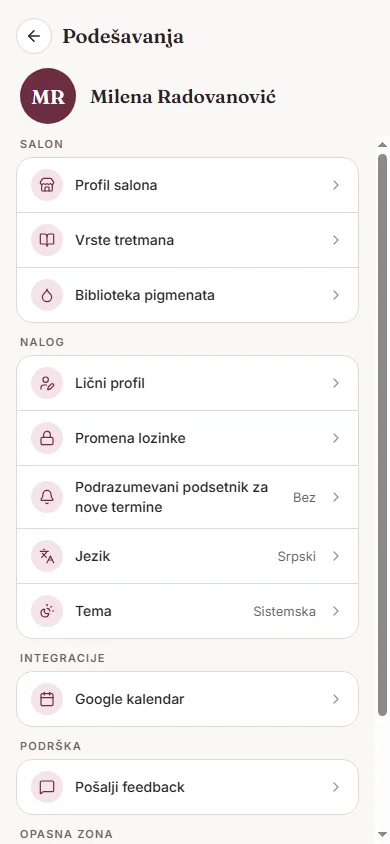
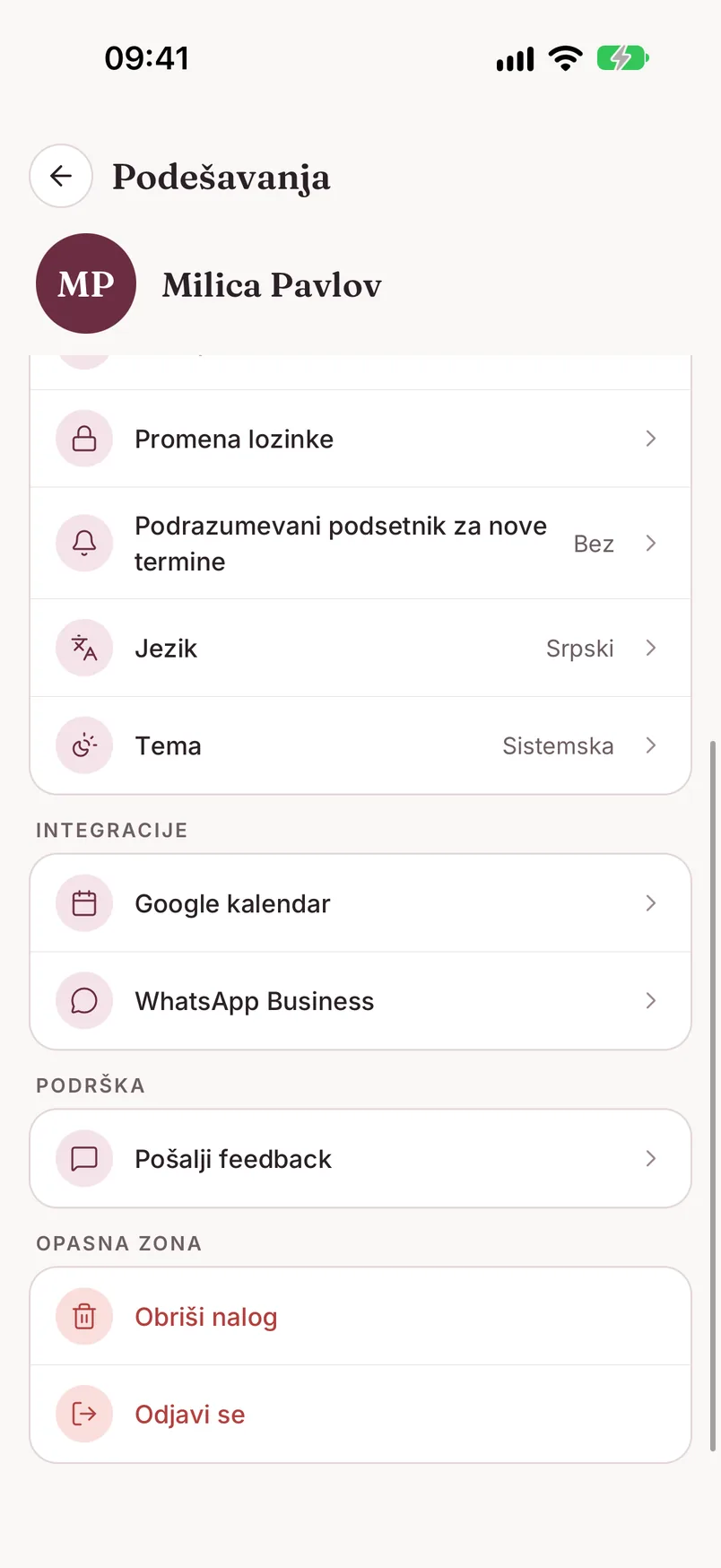
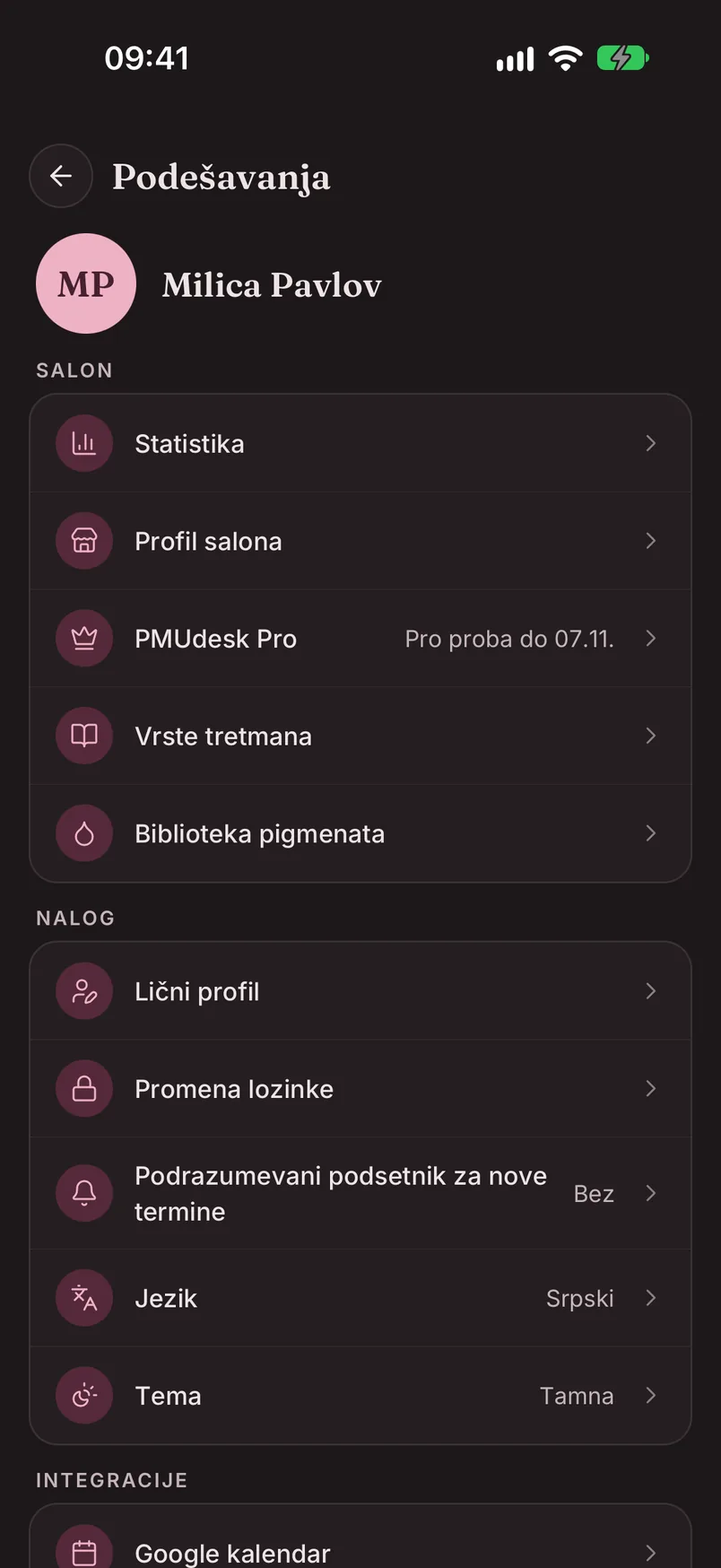
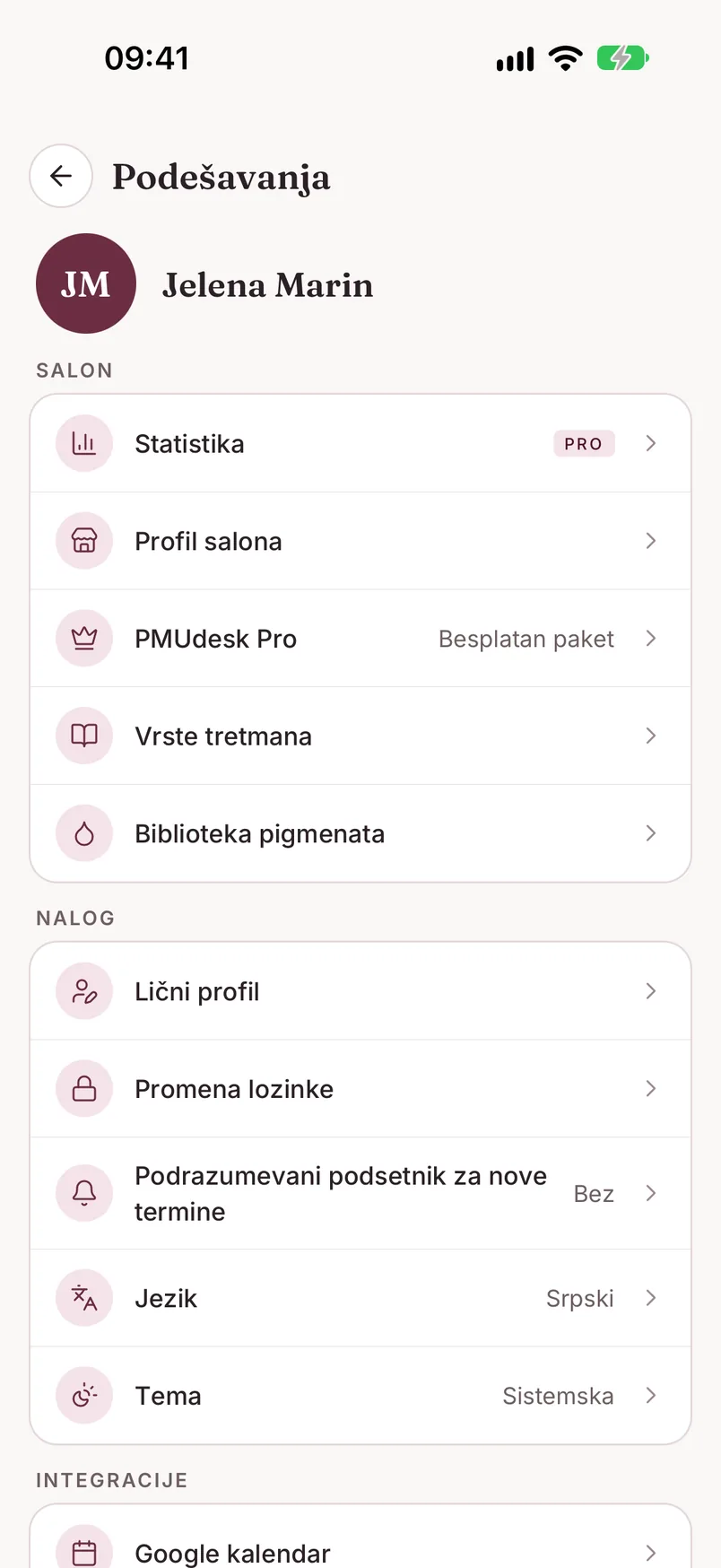
Podešavanja otvaraš ikonicom zupčanika u gornjem desnom uglu ekrana „Danas". Na vrhu su tvoje ime i naziv salona, a ispod pet grupa:
- Salon - „Statistika", „Profil salona", „PMUdesk Pro" (pored piše trenutni paket: „Besplatan paket", „Pro proba do ..." ili „Pro do ..."), „Vrste tretmana" i „Biblioteka pigmenata"
- Nalog - „Lični profil", „Promena lozinke", „Podrazumevani podsetnik za nove termine", „Jezik" i „Tema"
- Integracije - „Google kalendar" i „WhatsApp Business"
- Podrška - „Pošalji feedback"
- Opasna zona - „Obriši nalog" i „Odjavi se"
Na besplatnom paketu pored redova „Statistika" i „WhatsApp Business" stoji oznaka PRO - više u delu PMUdesk Pro i pretplata.
Lični profil, jezik i tema
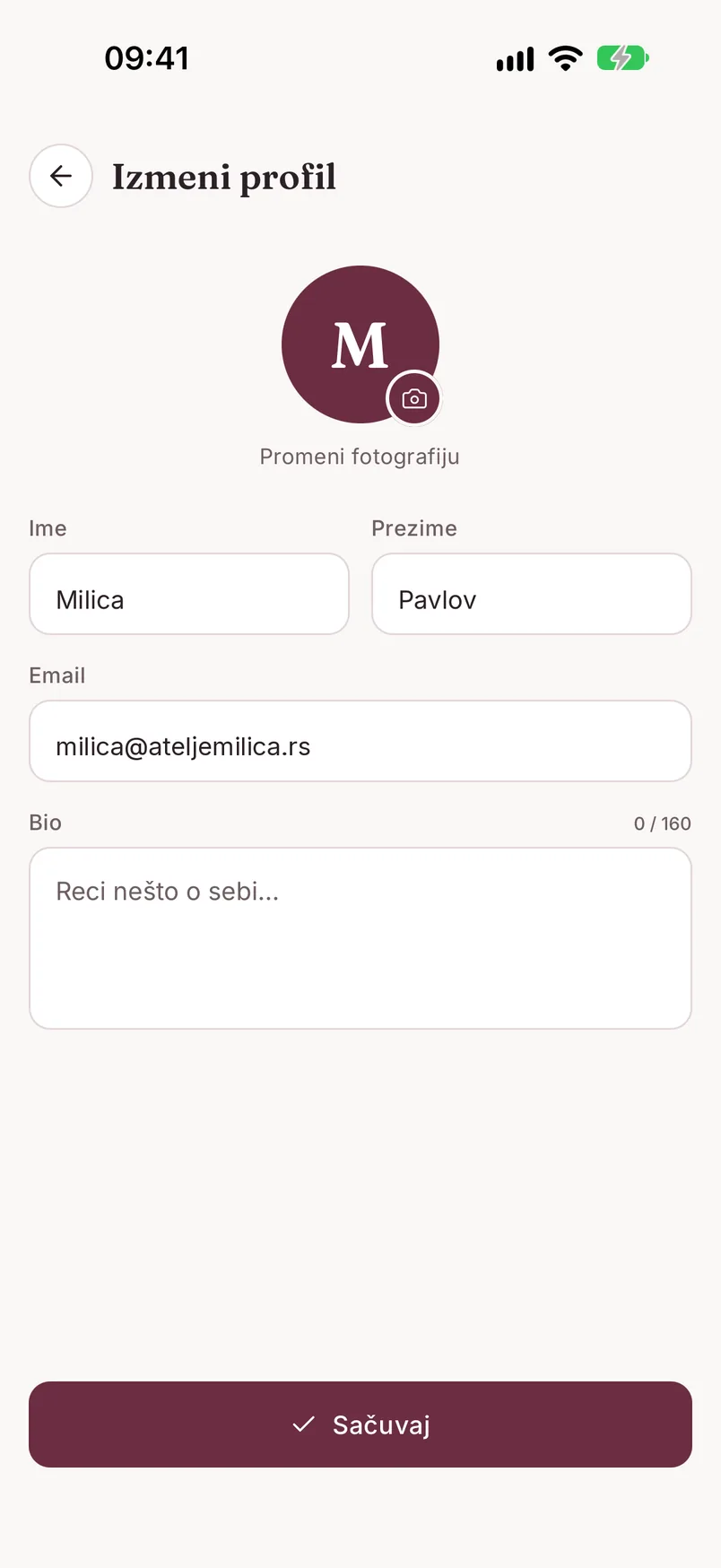
„Lični profil" otvara ekran „Izmeni profil": dugme „Promeni fotografiju" (galerija, kamera ili uklanjanje), Ime, Prezime, Email i kratak Bio (do 160 znakova). Izmene čuvaš dugmetom „Sačuvaj".
„Jezik" i „Tema" su redovi direktno u Podešavanjima. Jezik može biti Srpski ili English, a tema Sistemska (prati podešavanje telefona), Svetla ili Tamna. Promena važi odmah, za celu aplikaciju.
Podsetnik za termine
Red „Podrazumevani podsetnik za nove termine" određuje koliko pre termina tebi stiže obaveštenje na telefon: Bez, 15 min, 30 min, 1 h ili 1 dan. Ta vrednost se sama upisuje u polje „Podsetnik" svaki put kad zakazuješ novi termin, a na pojedinačnom terminu možeš da je promeniš.
Ovo je podsetnik za tebe. Poruke koje dobija klijentkinja (WhatsApp potvrda i podsetnik) podešavaju se posebno - vidi Termini i kalendar.
Promena lozinke
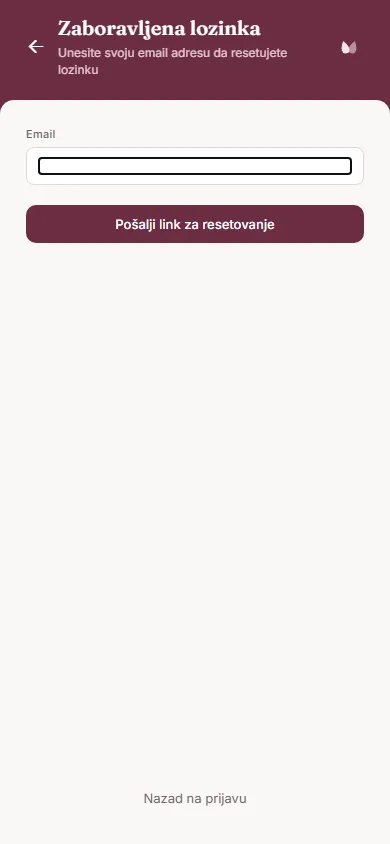
„Promena lozinke" ne otvara formular sa starom i novom lozinkom. Tvoj email je već upisan, pa samo dodirneš „Pošalji link za resetovanje" i lozinku menjaš preko linka iz mejla - isto kao „Zaboravljena lozinka?" na ekranu za prijavu. Link važi 1 sat.
Ako se prijavljuješ samo preko Google ili Apple naloga, ovaj red ne postoji - nemaš lozinku u PMUdesk-u.
PMUdesk Pro i pretplata Pro
Šta je besplatno, a šta Pro. Zakazivanje i kalendar, kartoni klijentkinja, tretmani i pigment formule, fotografije i saglasnosti potpisane u salonu ostaju besplatni. Pro dodaje:
- Healing follow-up - poruke klijentkinji posle tretmana, automatski preko WhatsApp-a ili uz ručno podsećanje (Healing follow-up)
- WhatsApp poruke o terminima - potvrde i podsetnici klijentkinjama. WhatsApp možeš da povežeš i na besplatnom paketu, ali poruke kreću tek kad je Pro aktivan (WhatsApp povezivanje)
- Potpisivanje saglasnosti na daljinu - klijentkinja potpisuje sa svog telefona (Saglasnosti)
- Statistiku salona (Statistika)
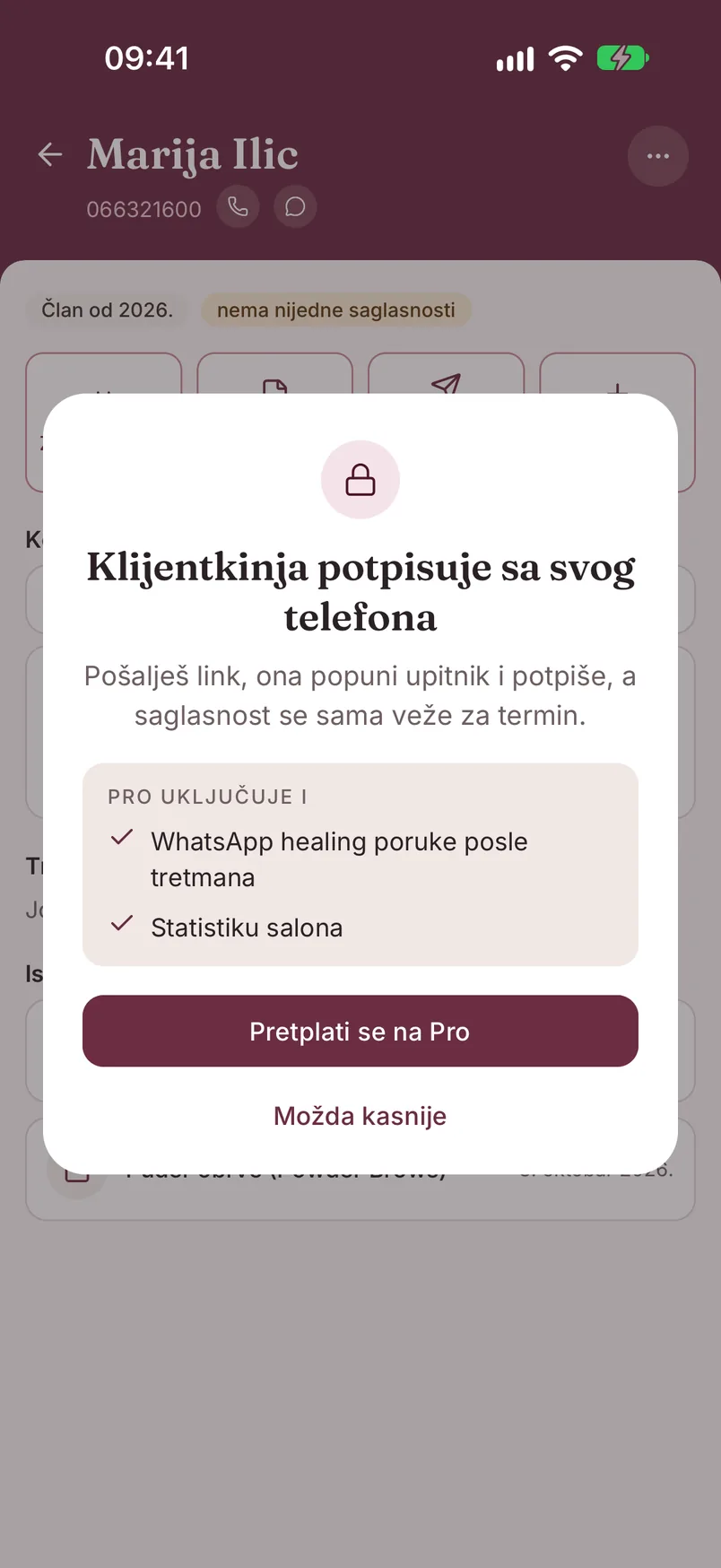
Kako izgleda zaključana funkcija. U Podešavanjima pored „Statistika" i „WhatsApp Business" stoji oznaka PRO. Kad dodirneš Pro funkciju, na primer „Pošalji link" na kartonu, otvara se kartica sa katancem: kratak opis funkcije, lista „Pro uključuje i", glavno dugme i „Možda kasnije", koje karticu samo zatvara.
Proba 30 dana. Dok je salon nije iskoristio, glavno dugme na kartici i na ekranu „Pretplata" glasi „Probaj Pro 30 dana besplatno". Otvara se prozor sa spiskom onoga što dobijaš i dugmadima „Pokreni probu" i „Odustani". Proba ne traži karticu i sama se završava posle 30 dana. Važi jednom po salonu i pokreće je vlasnica salona. Odmah posle pokretanja aplikacija nudi „Poveži WhatsApp", da healing poruke idu automatski.
Kad proba istekne, salon se vraća na besplatan paket. Ništa se ne briše - kartoni, tretmani, fotografije i saglasnosti ostaju, a zaključavaju se samo Pro funkcije. Posle iskorišćene probe dugme glasi „Pretplati se na Pro".
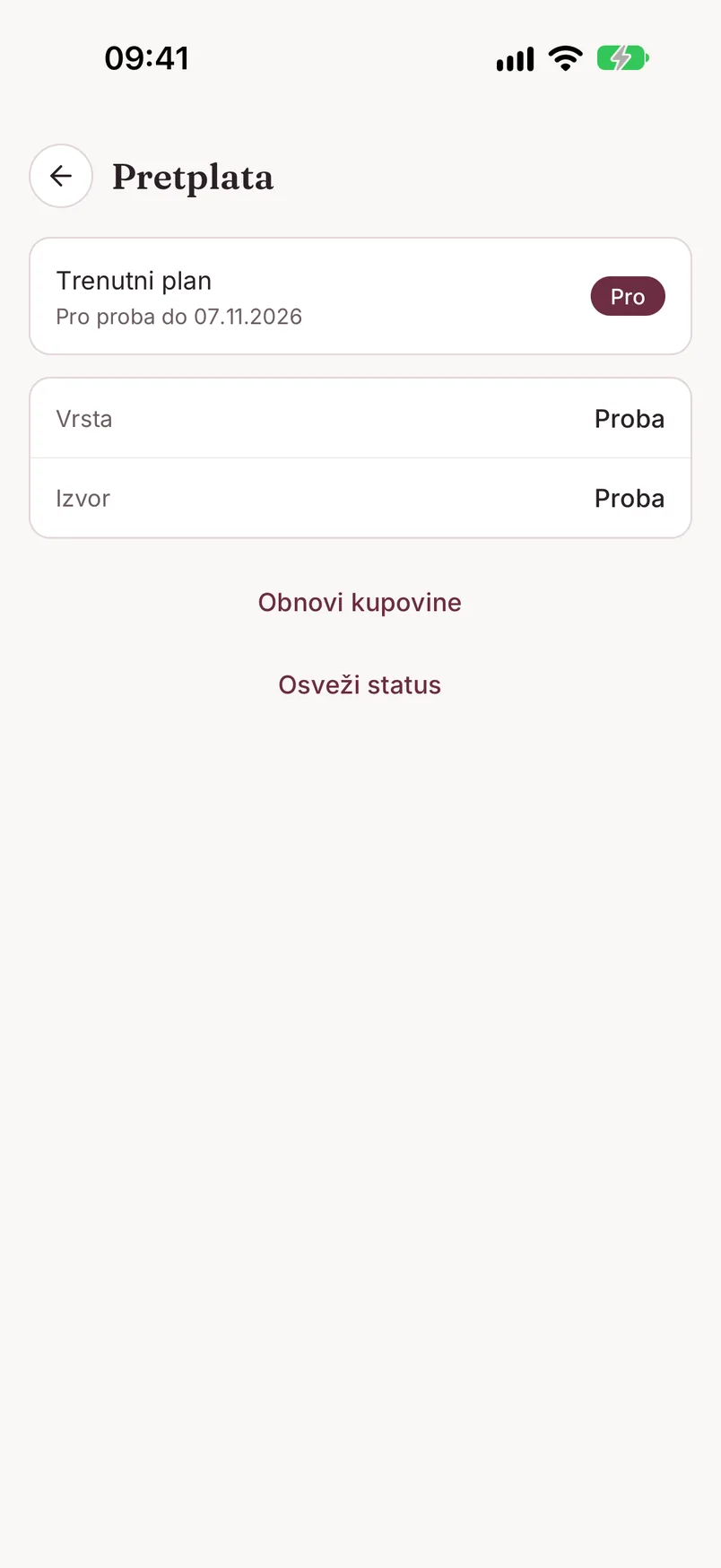
Ekran „Pretplata". Otvaraš ga iz Podešavanja → „PMUdesk Pro". Kartica „Trenutni plan" pokazuje paket i do kada važi („Besplatan paket", „Pro proba do ...", „Pro do ..."), a kod plaćene pretplate i „Obnavlja se ..." ili „Ističe ... - automatska obnova je otkazana". Ispod su Vrsta (proba, mesečna ili godišnja pretplata) i Izvor (App Store, Google Play...). Dugmad:
- „Osveži status" - ako si upravo kupila ili otkazala, a ekran još pokazuje staro stanje
- „Obnovi kupovine" - na telefonu, kad si pretplatu već kupila istim App Store ili Google Play nalogom (novi telefon, ponovna instalacija)
- „Upravljaj pretplatom" - otvara pretplate u prodavnici u kojoj si kupila; tu menjaš način plaćanja i otkazuješ
- „Nastavi sa Pro" - pojavljuje se u poslednjih 7 dana probe
Kupovina. „Pretplati se na Pro" otvara ekran sa dva plana - Mesečno i Godišnje - i dugmetom „Pretplati se". Pro košta 19,99 EUR mesečno ili 199,99 EUR godišnje; tačan iznos u tvojoj valuti prikazuje prodavnica pre potvrde.
- U aplikaciji naplata ide preko tvog App Store ili Google Play naloga. Pretplata se sama obnavlja dok je ne otkažeš, najkasnije 24 sata pre kraja tekućeg perioda, u pretplatama svog naloga u prodavnici.
- Na webu (app.pmudesk.com) plaćaš karticom. Naplatu obrađuje Paddle, račun stiže na email, a otkazuješ dugmetom „Upravljaj pretplatom" na ekranu „Pretplata" u web aplikaciji.
Pretplata važi za ceo salon, na svim uređajima, ali se njome upravlja tamo gde je kupljena. Kupuje je vlasnica salona. Posle otkazivanja Pro ostaje aktivan do kraja plaćenog perioda, a zatim salon prelazi na besplatan paket, bez brisanja podataka. Pravila o povraćaju novca su u Politici povraćaja.
Brisanje naloga
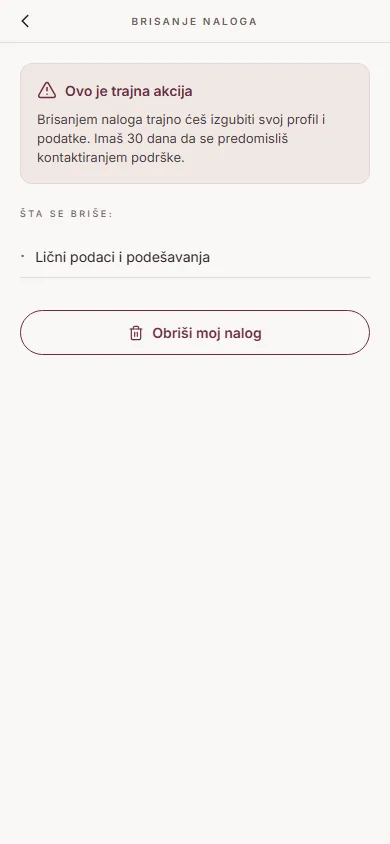
U Podešavanjima → Opasna zona → „Obriši nalog". Na ekranu „Brisanje naloga" dodirni „Obriši moj nalog" i potvrdi sa „Da, obriši". Aplikacija te odmah odjavljuje.
Nalog se ne briše istog trenutka - imaš 30 dana da se predomisliš. Samo se ponovo prijavi istim nalogom: pojavljuje se prozor „Vrati nalog" sa brojem preostalih dana i dugmetom „Da, vrati nalog". Posle 30 dana nalog se trajno briše.
Brisanje naloga ne otkazuje pretplatu kupljenu preko App Store-a ili Google Play-a - nju otkaži posebno, u prodavnici.
Šta se tačno dešava sa podacima pročitaj na stranici Brisanje naloga.
Settings - overview
Open Settings with the gear icon in the top-right corner of the "Today" screen. Your name and salon are at the top, with five groups below:
- Salon - "Statistics", "Salon profile", "PMUdesk Pro" (the current plan is shown next to it: "Free plan", "Pro trial until ..." or "Pro until ..."), "Treatment types" and "Pigment library"
- Account - "Personal profile", "Change password", "Default reminder for new appointments", "Language" and "Theme"
- Integrations - "Google Calendar" and "WhatsApp Business"
- Support - "Send Feedback"
- Danger zone - "Delete account" and "Log out"
On the free plan, the "Statistics" and "WhatsApp Business" rows carry a PRO tag - more in PMUdesk Pro and subscription.
Personal profile, language and theme
"Personal profile" opens the "Edit Profile" screen: the "Change photo" button (gallery, camera or remove), First Name, Last Name, Email and a short Bio (up to 160 characters). Save your changes with "Save".
"Language" and "Theme" are rows right in Settings. The language can be Srpski or English, and the theme System (follows your phone's setting), Light or Dark. The change applies immediately, across the whole app.
Appointment reminder
The "Default reminder for new appointments" row sets how long before an appointment you get a notification on your phone: None, 15 min, 30 min, 1 h or 1 day. That value is filled into the "Reminder" field every time you schedule a new appointment, and you can change it on each appointment.
This reminder is for you. The messages your client receives (WhatsApp confirmation and reminder) are set up separately - see Appointments & Calendar.
Changing your password
"Change password" doesn't open a form with your old and new password. Your email is already filled in, so you just tap "Send Reset Link" and change the password through the link in the email - the same as "Forgot password?" on the sign-in screen. The link is valid for 1 hour.
If you only sign in with a Google or Apple account, this row isn't there - you have no password in PMUdesk.
PMUdesk Pro and subscription Pro
What's free and what's Pro. Scheduling and the calendar, client cards, treatments and pigment formulas, photos, and consents signed in the salon stay free. Pro adds:
- Healing follow-up - messages to the client after a treatment, automatically over WhatsApp or with manual reminders (Healing Follow-up)
- WhatsApp appointment messages - confirmations and reminders to clients. You can connect WhatsApp on the free plan too, but messages only start once Pro is active (Connecting WhatsApp)
- Remote consent signing - the client signs on her own phone (Consent Forms)
- Salon statistics (Statistics)
What a locked feature looks like. In Settings, "Statistics" and "WhatsApp Business" carry a PRO tag. When you tap a Pro feature, for example "Send link" on a client card, a card with a padlock opens: a short description of the feature, a "Pro also includes" list, the main button and "Maybe later", which simply closes the card.
The 30-day trial. Until the salon has used it, the main button on the card and on the "Subscription" screen reads "Try Pro free for 30 days". A dialog opens listing what you get, with "Start trial" and "Cancel". The trial needs no card and ends on its own after 30 days. It's available once per salon and is started by the salon owner. Right after it starts, the app offers "Connect WhatsApp" so healing messages go out automatically.
When the trial ends, the salon goes back to the free plan. Nothing is deleted - client cards, treatments, photos and consents stay, and only the Pro features lock. Once the trial has been used, the button reads "Subscribe to Pro".
The "Subscription" screen. Open it from Settings → "PMUdesk Pro". The "Current plan" card shows the plan and how long it's valid ("Free plan", "Pro trial until ...", "Pro until ..."), and for a paid subscription also "Renews on ..." or "Expires on ... - auto-renewal is cancelled". Below are Type (trial, monthly or yearly subscription) and Source (App Store, Google Play...). The buttons:
- "Refresh status" - if you've just purchased or cancelled and the screen still shows the old state
- "Restore purchases" - on the phone, when you've already bought the subscription with the same App Store or Google Play account (new phone, reinstall)
- "Manage subscription" - opens subscriptions in the store where you purchased; that's where you change the payment method and cancel
- "Continue with Pro" - appears in the last 7 days of the trial
Purchasing. "Subscribe to Pro" opens a screen with two plans - Monthly and Yearly - and a "Subscribe" button. Pro costs EUR 19.99 per month or EUR 199.99 per year; the store shows the exact amount in your currency before you confirm.
- In the app, payment is charged to your App Store or Google Play account. The subscription renews automatically until you cancel it, at least 24 hours before the end of the current period, in your store account's subscriptions.
- On the web (app.pmudesk.com) you pay by card. Payments are processed by Paddle, the invoice arrives by email, and you cancel with "Manage subscription" on the "Subscription" screen in the web app.
The subscription covers the whole salon, on every device, but it's managed where it was purchased. It's purchased by the salon owner. After you cancel, Pro stays active until the end of the paid period, then the salon moves to the free plan with no data deleted. Refund rules are in the Refund Policy.
Deleting your account
In Settings → Danger zone → "Delete account". On the "Delete Account" screen, tap "Delete my account" and confirm with "Yes, delete". The app signs you out right away.
The account isn't deleted on the spot - you have 30 days to change your mind. Just sign back in with the same account: a "Restore account" dialog appears with the number of days left and a "Yes, restore my account" button. After 30 days the account is permanently deleted.
Deleting your account doesn't cancel a subscription purchased through the App Store or Google Play - cancel that separately, in the store.
For what exactly happens to your data, see the Account Deletion page.